
Work gets lost in the chat
Messages keep pushing older tasks out of sight.
Linkone helps teams create projects, assign work, track progress, and report — turning LINE conversations into a workflow everyone can see.
Built for teams coordinating across many people, projects, or partners — while starting from the tool your team already uses every day: LINE.
Start from the group your team already uses
Create, assign, and follow work clearly
See status, reminders, and summaries
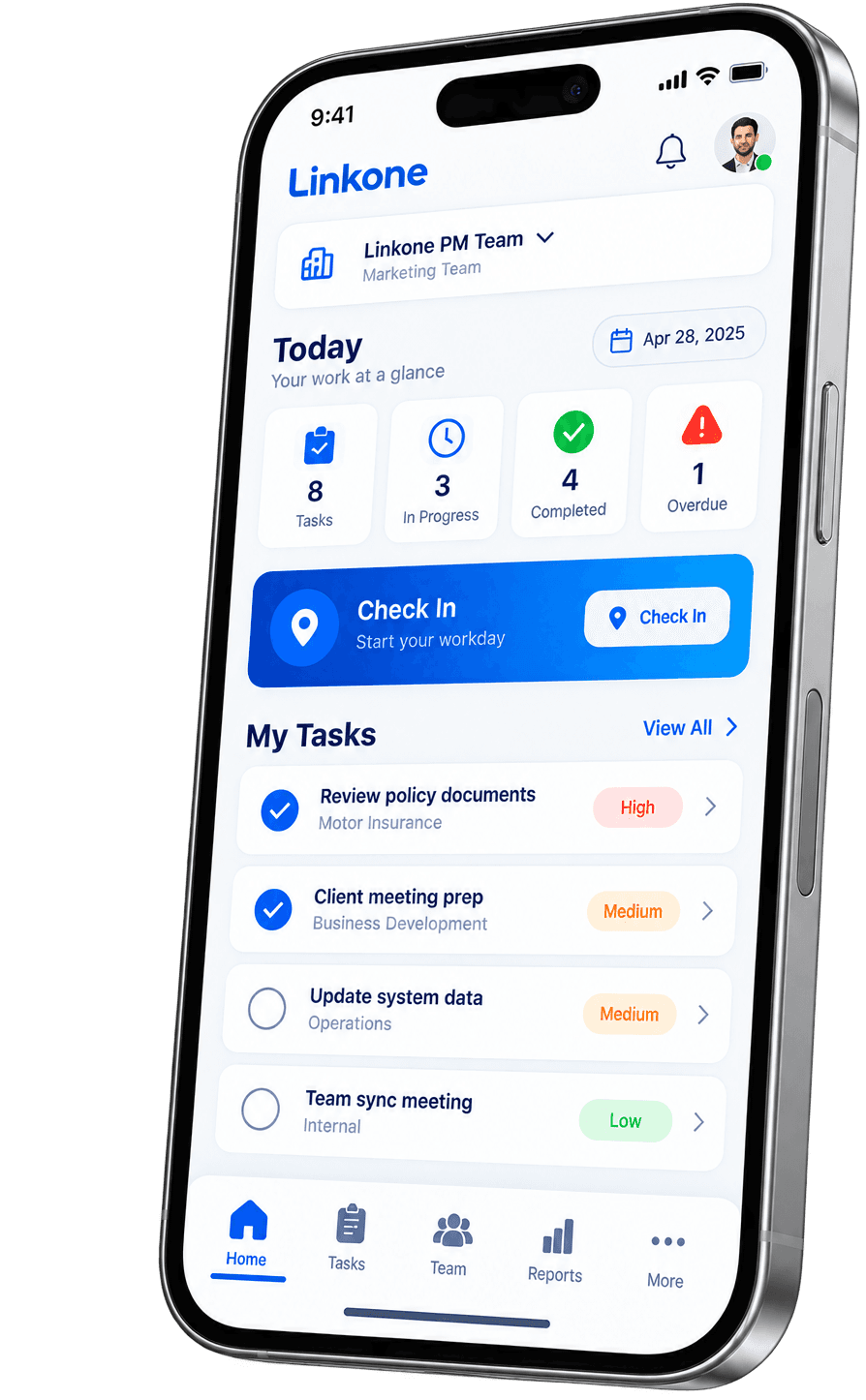
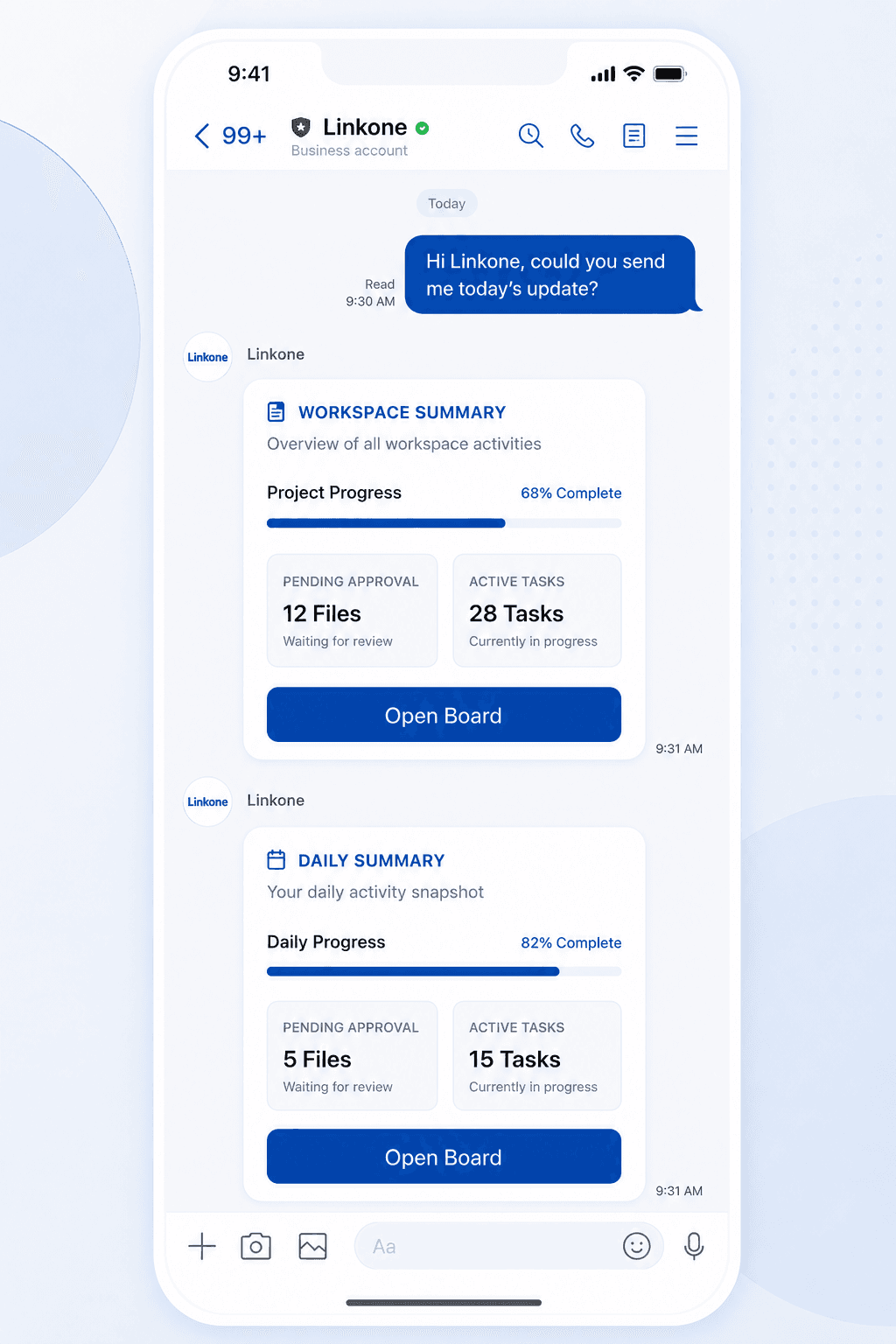
Linkone is a work and project management platform for teams that operate mainly through LINE.
It turns the conversations in your LINE groups into work you can actually manage — from creating projects, tasks, and subtasks, assigning owners, and tracking progress and timelines, to reminders for overdue work and management-level reports.
Linkone fits teams that coordinate across many people and projects, or work with partners, agencies, sales, operations, or field teams — without changing how you already work, because you can start right from the LINE group your team uses every day.
Many teams use LINE as their main channel for work. But as work grows, information scatters, important tasks get buried in the chat, and no one sees the full picture of who's doing what, what's done, what's due soon, or what needs a follow-up.
Messages keep pushing older tasks out of sight.
Work gets discussed but never clearly assigned.
You scroll back through chat or keep asking, “where's this at?”
Leads and executives can't see every task status in one place.
There's no automatic reminder when work is coming due.
Especially work involving partners, sales, ops, or field teams.
Linkone does more than create tasks — it helps teams collaborate end to end: planning, assigning, tracking progress, checking in, storing files, chatting, and viewing team-wide reports.
Project & Workspace Management
Create workspaces for teams, companies, or projects to keep each group of work clear. See your own work, your team's, and the whole organization in one place.
Run multiple teams, projects, and work contexts far more systematically.
Task & Subtask Management
Turn what's discussed in the group into tasks, break them into subtasks, and set owners, status, priority, and deadlines so every task keeps moving.
Fewer dropped tasks and repeated questions — everyone knows who does what.
Assign, Join & Done Workflow
Assign work to the right people, or let members join tasks themselves. When finished, tap Done to update the status for everyone instantly.
Every task has a clear owner, and managers see progress in real time.
Timeline & Progress Tracking
See what hasn't started, what's in progress, what's overdue, and what's done — and follow each project's timeline and next steps.
Leads see the whole picture and prioritize with ease.
Inbox & Approval Center
Bring everything waiting for a reply, approval, or decision into a single Inbox so nothing important slips by.
Fewer dropped approvals and follow-ups.
Check-in & Time Stamp
Set locations for check-in — office, branch, or on-site — so the team can check in on arrival, with time and attendance history for managers or HR.
See attendance systematically — great for office, branch, and field teams.
File Upload & Work Storage
Upload files, documents, images, or attachments to the related project or task, so information doesn't vanish in chat and everyone can reach the latest version.
Less digging through old chats — key information stays in context.
Project & Task Chat
Open a dedicated conversation for each project or task, so work talk doesn't mix with the main chat and the full context stays in one place.
Newcomers get up to speed faster, with less confusion from mixed threads.
Smart Reminder & Notification
Linkone reminds people about work that's due soon, overdue, needs a decision, or has an important update — instantly.
Less forgetting, less manual chasing, and faster momentum.
Dashboard & Management Report
Executives see the whole picture — active tasks, backlog, completed work, project progress, and team performance — from the back office.
Decide from real data, spot bottlenecks, and manage teams more precisely.
Whether it's an internal team, a sales team, a partner team, or any group coordinating across many people on LINE, Linkone gives every task structure you can track.
Project Management
Great for teams juggling many projects at once — client work, internal work, campaigns, or events — with clear projects, tasks, statuses, and timelines.
Team Operations
For operations teams with routine, daily, on-site, or hand-off work — so leads can see what's stuck, what's done, and who owns what.
Partner & Sales Coordination
For businesses working with partners, agents, sales teams, or multi-party deals — assign work, track documents, update status, and summarize progress per deal or project.
HR & Attendance Tracking
For teams that need to track attendance for staff, branches, or field teams, via configurable Check-in and Time Stamp.
Personal / Group Planning
Beyond business, use it for trip planning, activity groups, or health groups — set shared goals, split tasks, send reminders, and track progress.
Linkone is built to be as easy as possible — no extra apps to install, just start from the LINE group your team already uses every day.
Add Linkone as a friend on LINE, invite it into the group your team works in, then type “linkone” in the group to create a workspace instantly — no new app required.
Turn what's discussed in chat into projects, tasks, and subtasks, with owners, deadlines, and details.
Assigned members update status and tap Done when finished, and Linkone notifies or summarizes progress so the team stays aligned.
Executives and leads see reports, timelines, backlog, completed work, and team performance from the back office.
Your team still starts from the LINE it uses daily — now with a system that keeps work clear.
Work is no longer just a chat message; it becomes a task with an owner, status, and deadline.
No scrolling back through chat — every task lives in the workspace with an instant status.
Dashboards and reports for the team, projects, and organization at a glance.
From small groups and internal teams to coordinating with partners and multiple teams at once.
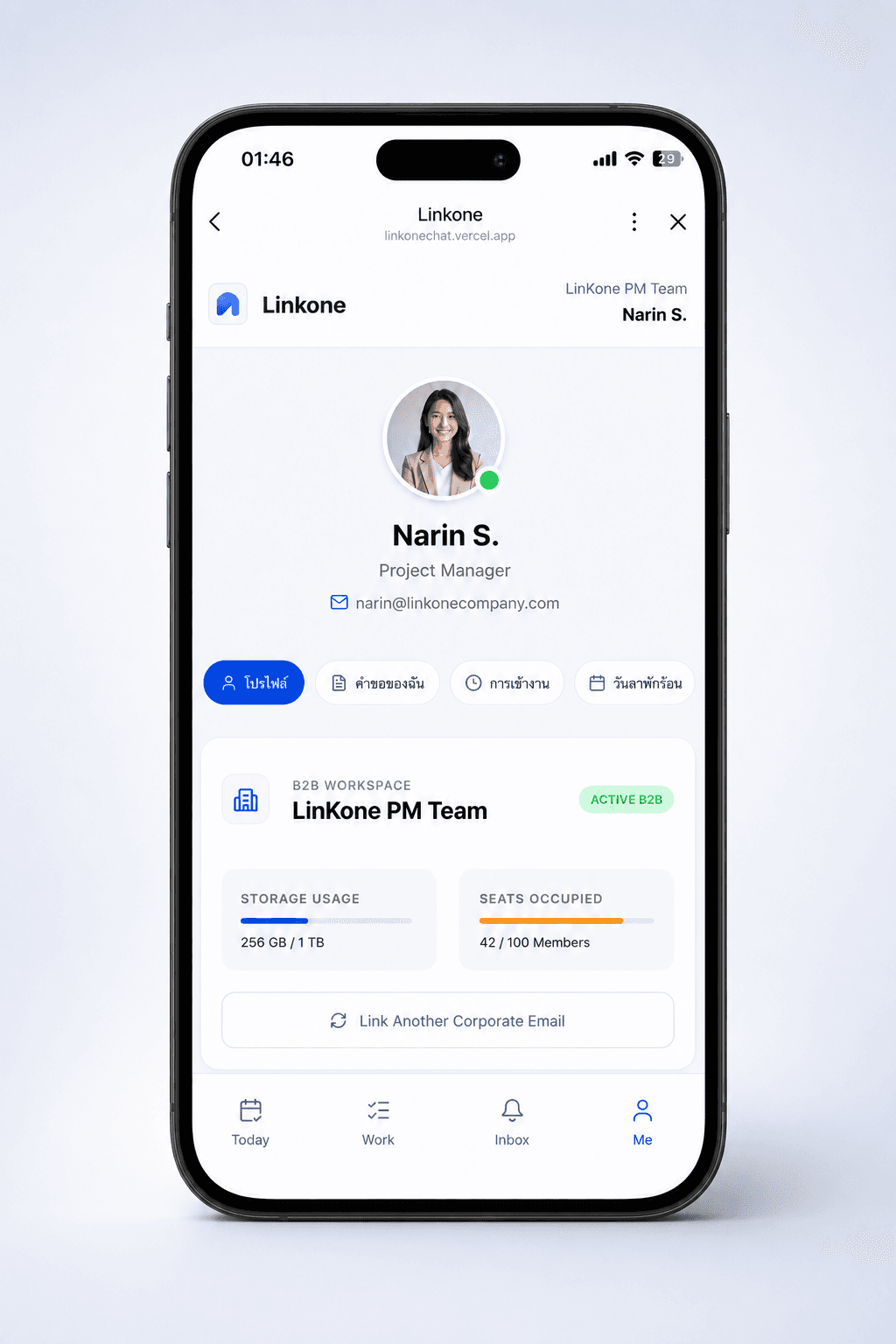
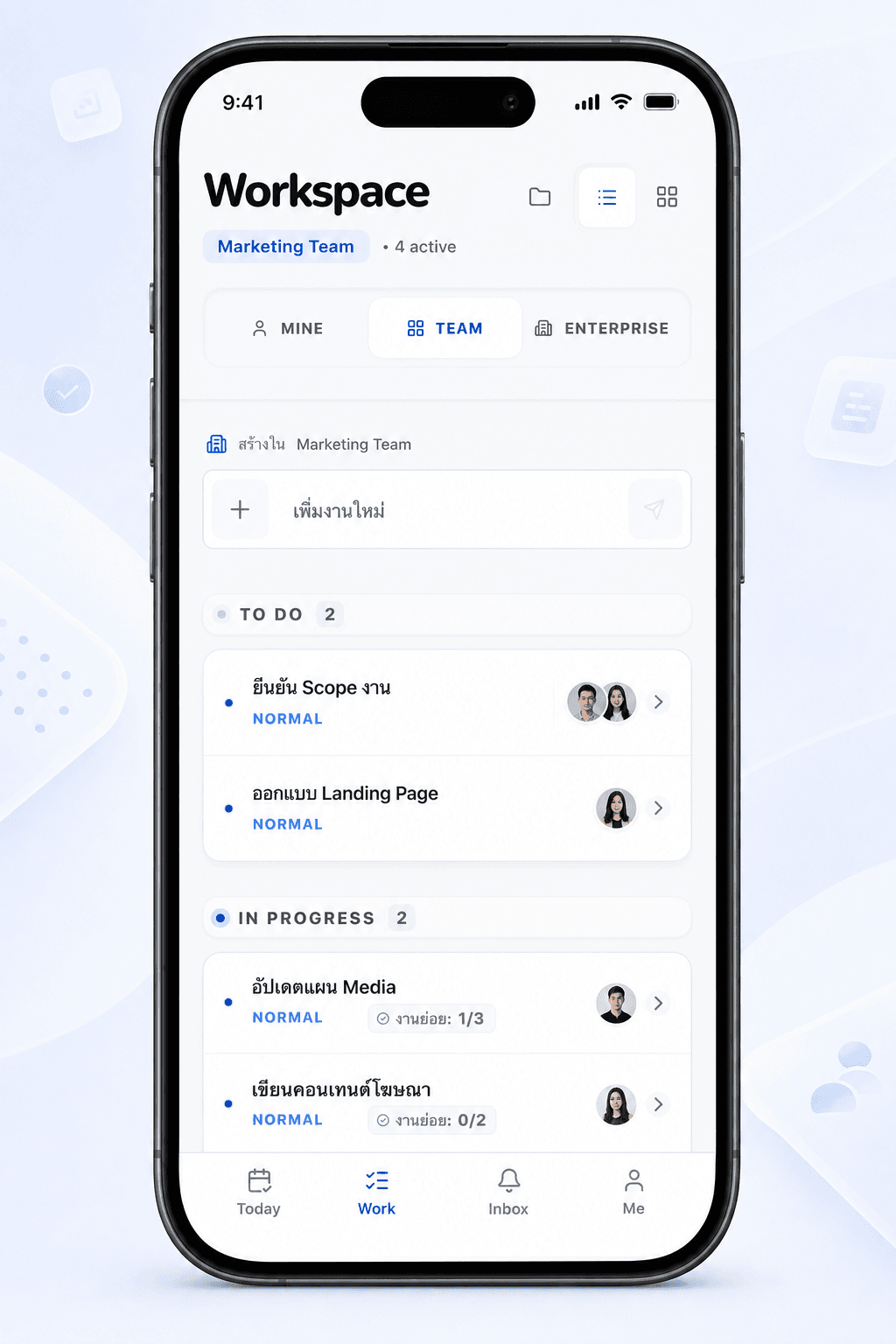
Take a look at Linkone's main screens — from the daily work view and the team task board to the approval inbox and the summary card sent back into the LINE group.
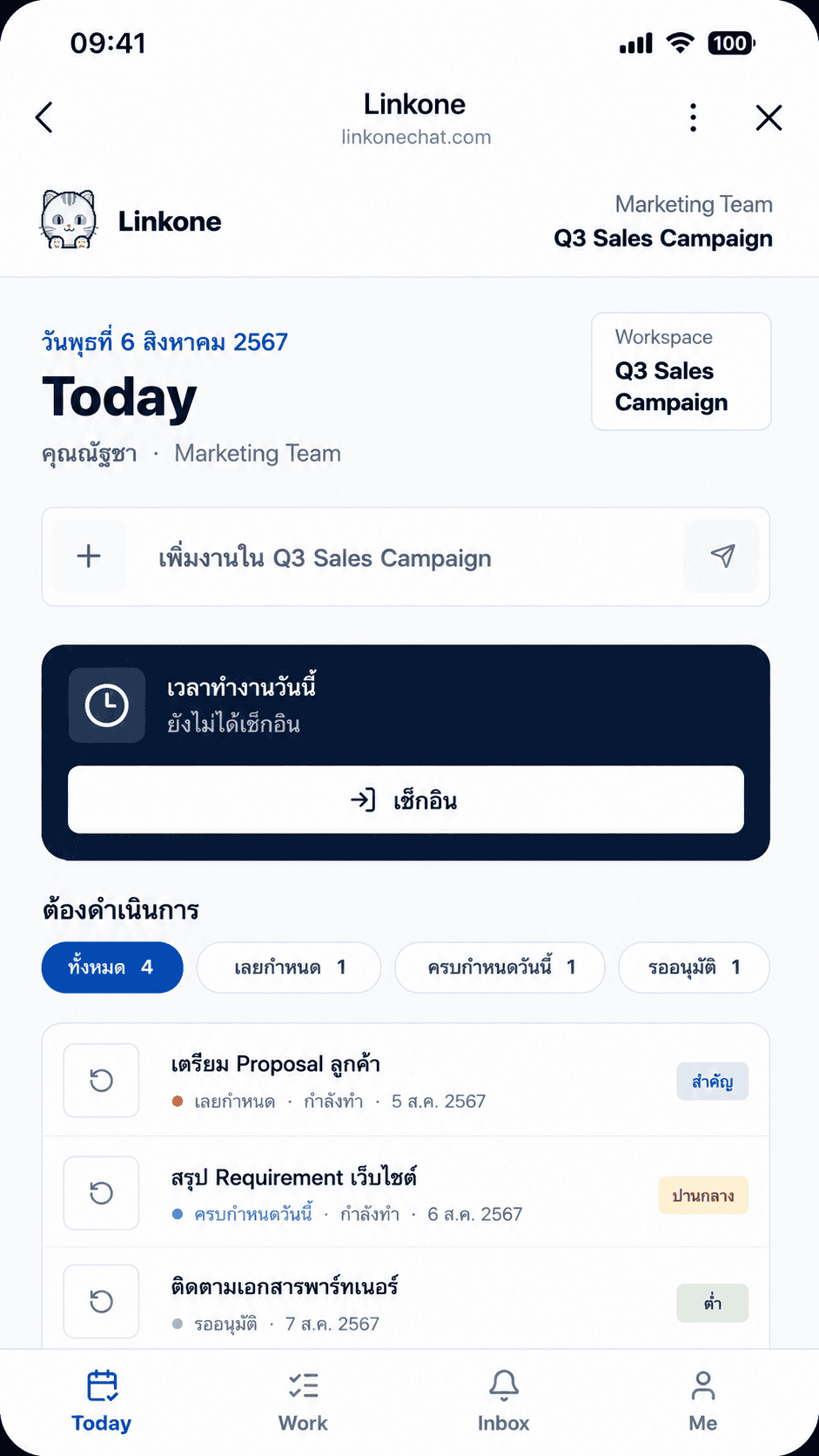
Overdue, due-today, and pending-approval tasks in one place, with a check-in button — so the team starts the day knowing what to focus on first.
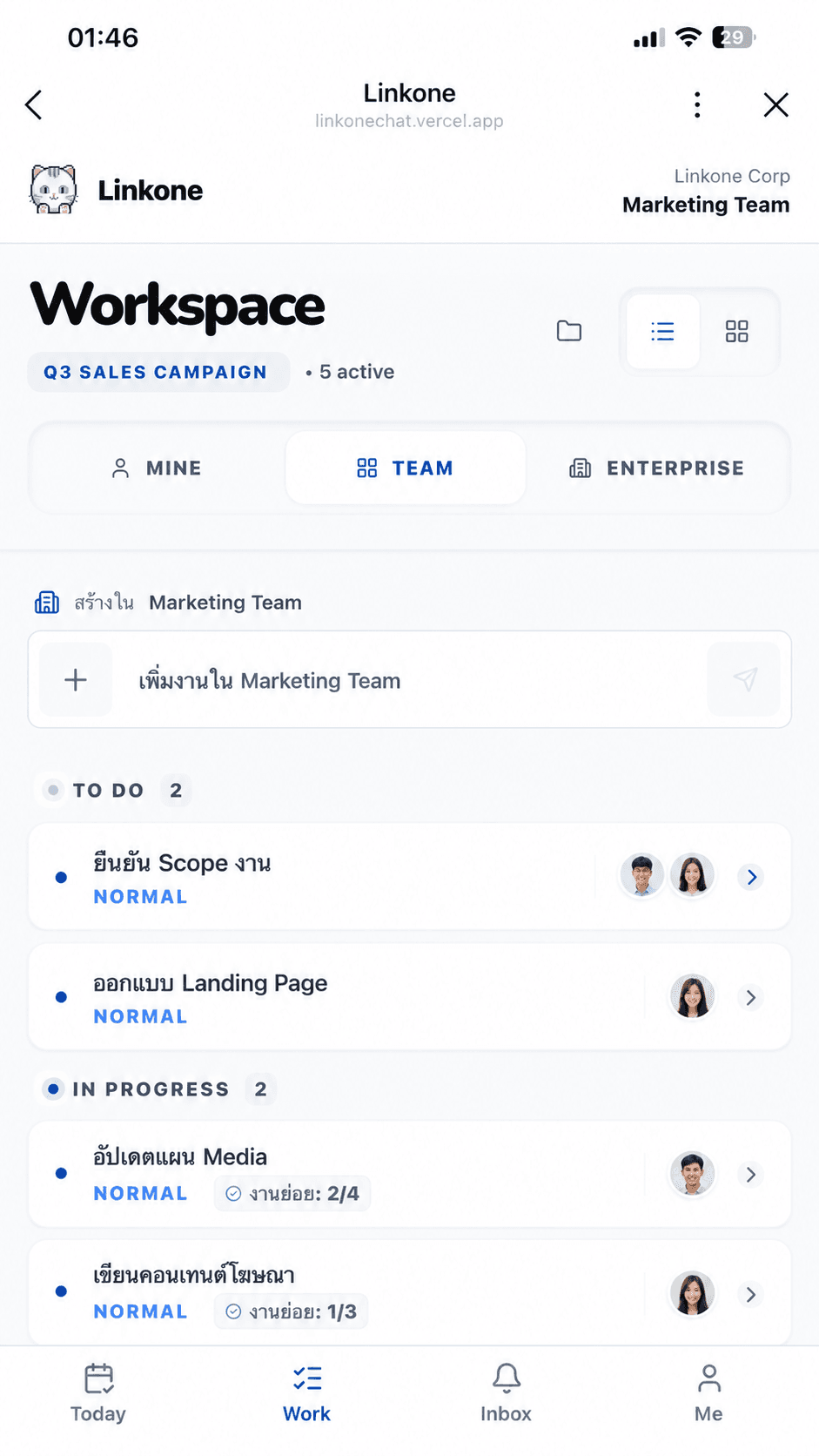
Organize work into To Do and In Progress with subtask progress, owners, and priority. Switch between your work, your team's, and the whole organization.
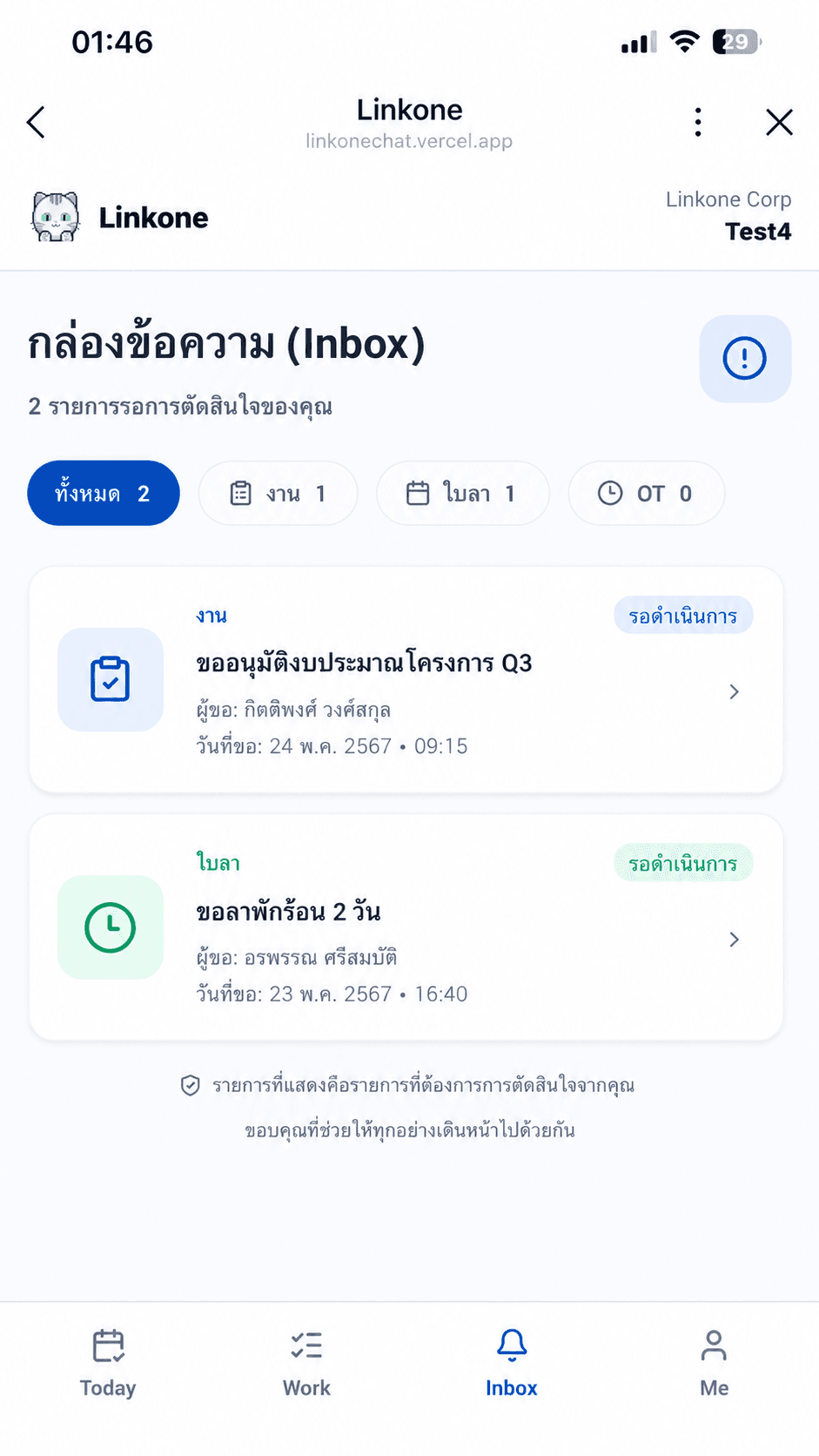
Approvals, leave requests, and items needing a decision are gathered in one Inbox — showing the requester, date, and details, ready to approve on the spot.
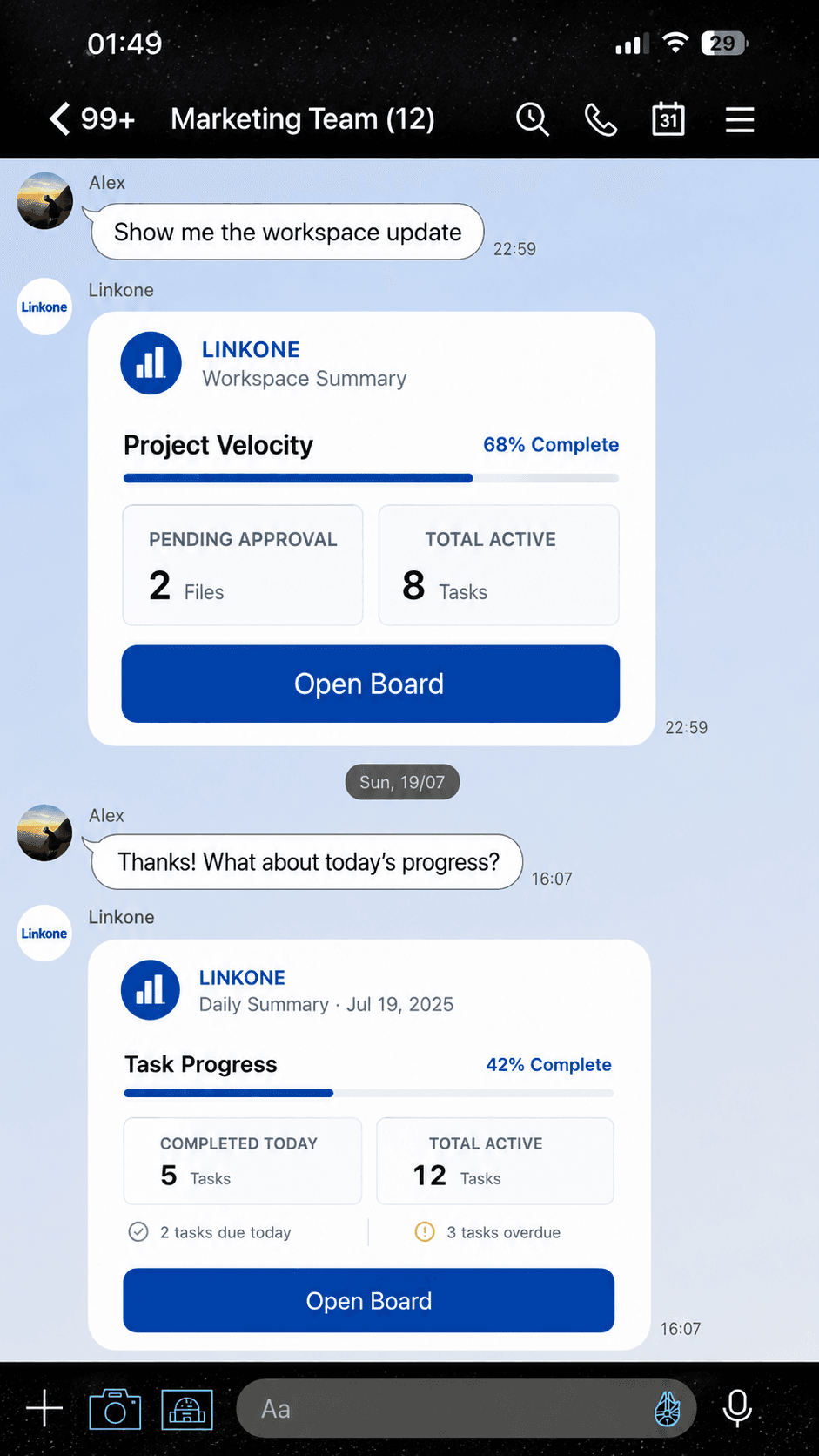
Linkone can send a workspace summary card straight back into the LINE group — project progress, active tasks, pending approvals, and a button to open the board instantly.
Start managing projects, tasks, coordination, and follow-ups more easily with Linkone.

Scan to add us on LINE
Or add us on LINE: @253gdjqm